Watch your mission fly. Before it flies.
GLOBE
Real terrain. Real imagery. Real sky.
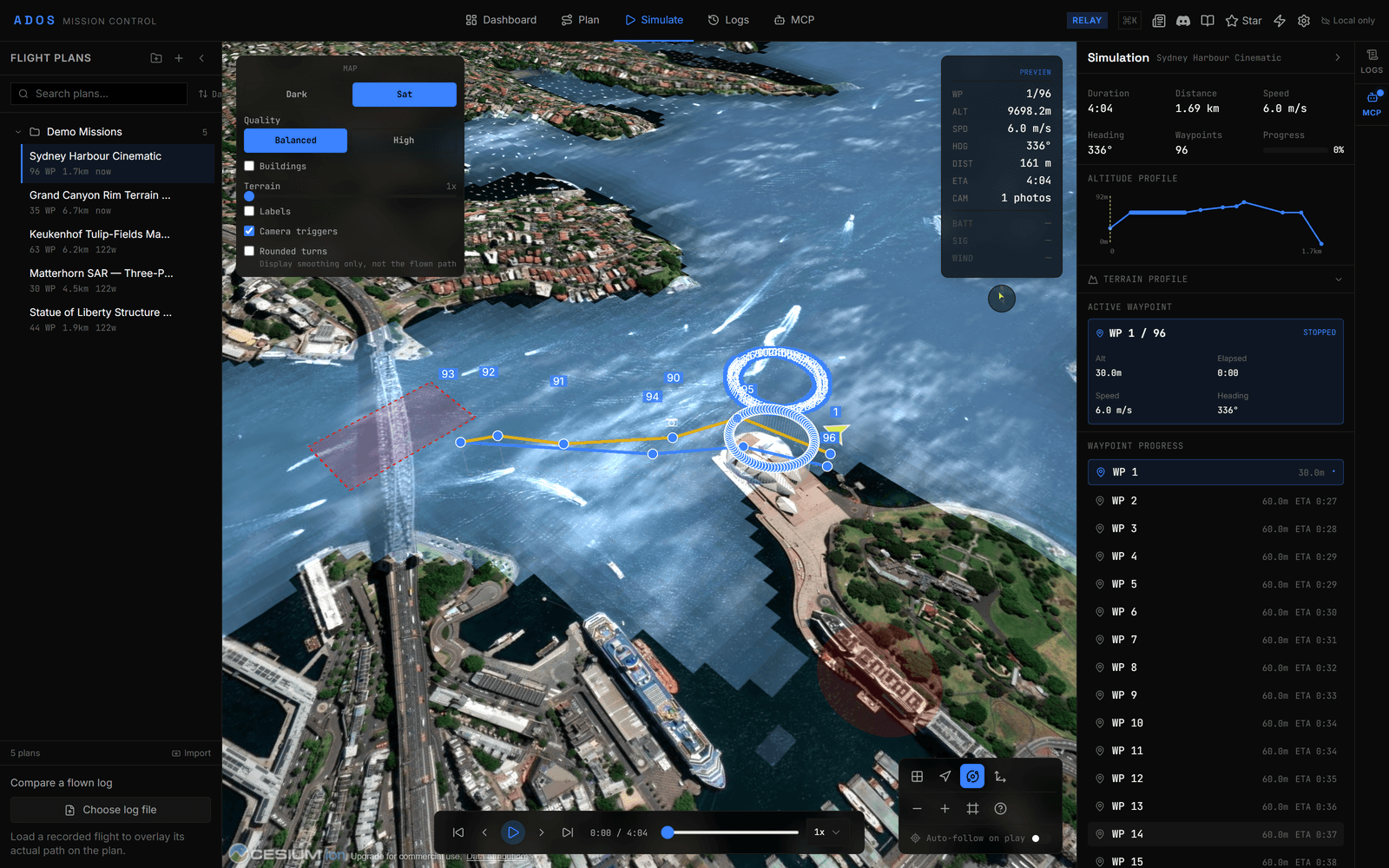
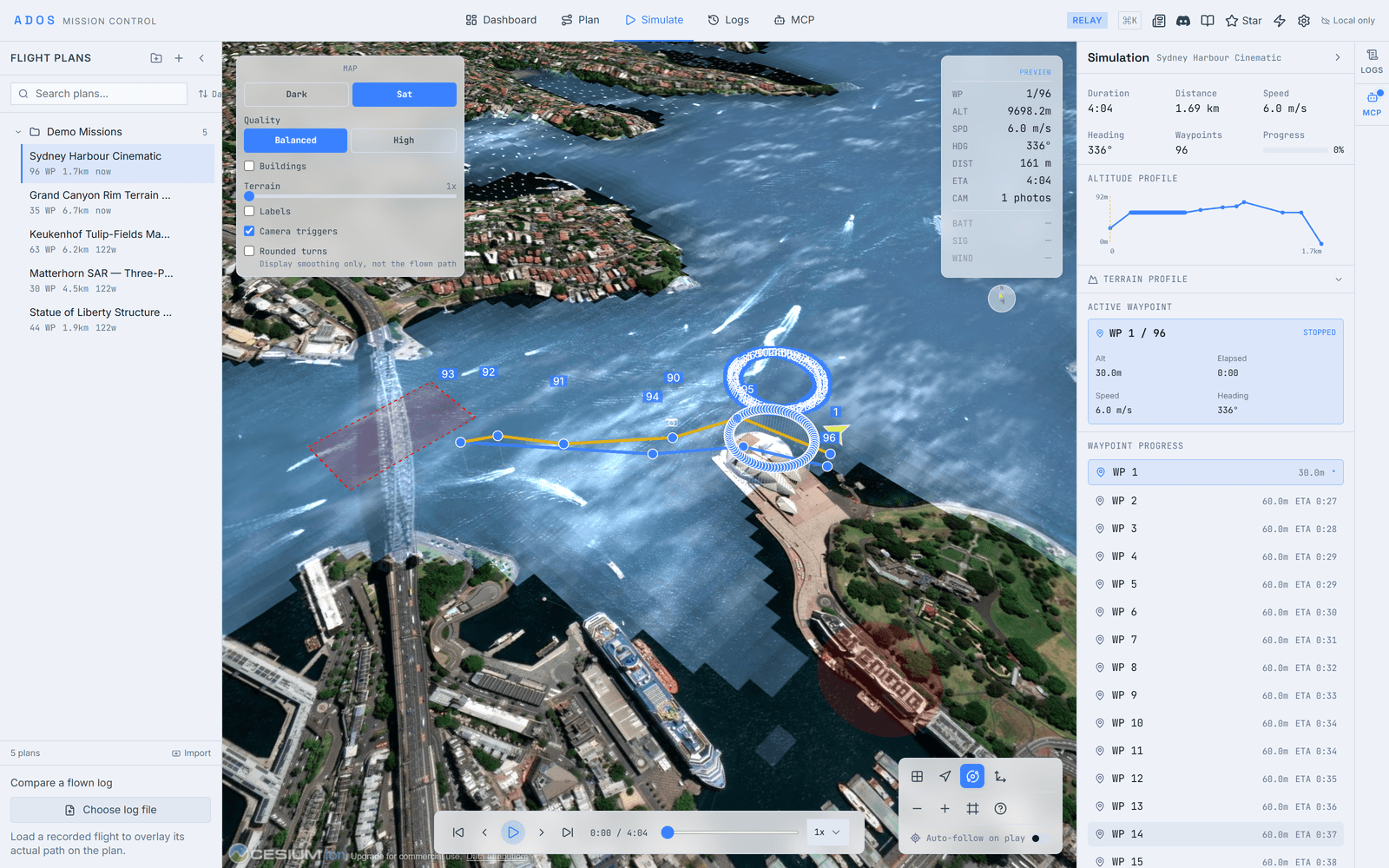
The simulation runs on a full 3D globe powered by CesiumJS. Terrain elevation is pulled in so the drone flies over actual hills, ridges, and valleys, and satellite imagery is the default basemap. The sky is mode-aware: a bright day over the satellite view, a dark night over the dark map, so a satellite run never renders under a black sky.
- ✓CesiumJS globe with terrain elevation and satellite imagery
- ✓Satellite basemap by default, switchable per view
- ✓Mode-aware sky: day over satellite, night over the dark map
- ✓Cesium assets self-hosted, so the globe loads without a third-party account
FLIGHT
Your drone's path, animated in 3D.
See the drone follow each waypoint, climbing and descending steadily between them. A colored trail marks what is done versus what is ahead, so you can track progress at a glance. Heading and speed update in real time as the simulation plays.
- ✓Animated drone marker on the flight path
- ✓Steady climbs and descents between waypoints
- ✓A colored trail showing completed versus remaining path
- ✓Real-time heading and speed indicators
PLAYBACK
Full control over time.
Play, pause, scrub
Start, pause, and drag the timeline to any point in the mission. Jump to a waypoint or scrub through the whole flight.
Speed control
Real-time review at 1x, quick previews at 2x and 4x, and 0.5x or 0.25x to inspect turns and altitude changes.
HUD overlay
Waypoint, altitude, speed, heading, distance and ETA on screen, computed from the plan and marked as a preview.
CAMERA
Four camera modes, including free-look.
The camera defaults to an orbit view so your first drag orbits the scene. Left-drag orbits, the wheel zooms, and right-drag tilts, so a top-down view needs no middle-mouse gymnastics. A reset button re-frames the mission and a follow-heading lock keeps the nose forward.
Orbit
Frames the whole mission at an angle so your first drag orbits the scene. The default.
Top-down
Directly overhead. Best for verifying coverage patterns and area scans.
Follow
Follows behind the drone with the heading lock, for reviewing the path from the pilot's perspective.
Free
Unlocks the camera for free navigation. Reset re-frames the mission north-up.
QUALITY
Balanced by default, High when it matters.
Two render presets trade frame rate against fidelity. Switch at any time from the map controls.
Balanced
- ✓Retina device-pixel-ratio rendering
- ✓Tile caching for smooth pans
- ✓Cesium's default 4x anti-aliasing and terrain detail
High
- ✓Multi-sample anti-aliasing for clean edges
- ✓Sharper terrain level of detail
- ✓Relief lighting on the terrain surface
PHOTOGRAMMETRY
See where every photo fires.
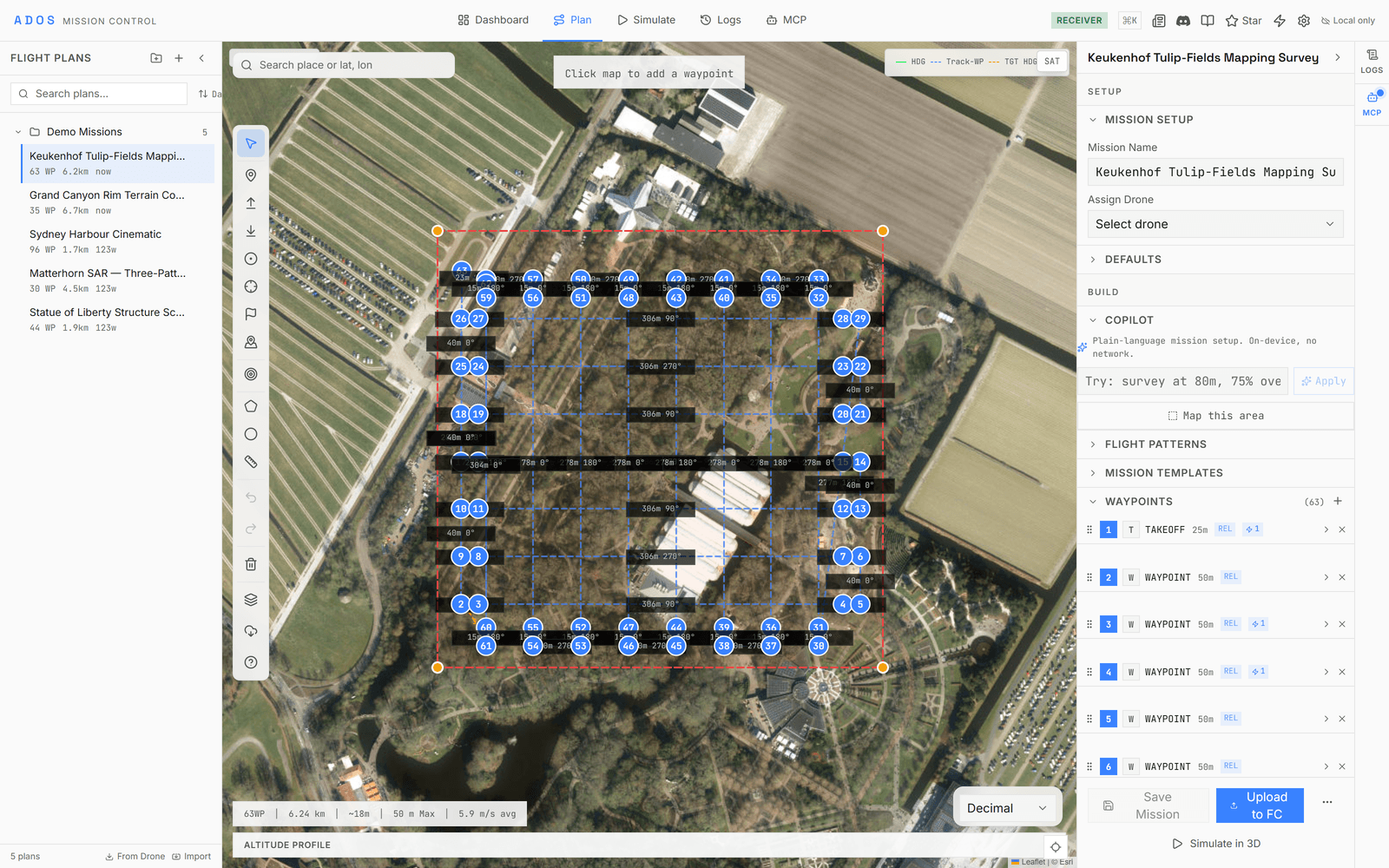
Camera trigger points are drawn right on the globe. During a survey simulation you can see exactly where each image is captured along the path, so you can spot the gaps before you fly, not after.


A survey run and its photo triggers, the kind of plan the simulation previews.
Build the mission first.
The simulation flies whatever you plan. Start with waypoints, patterns, and terrain profiles.
Explore Planning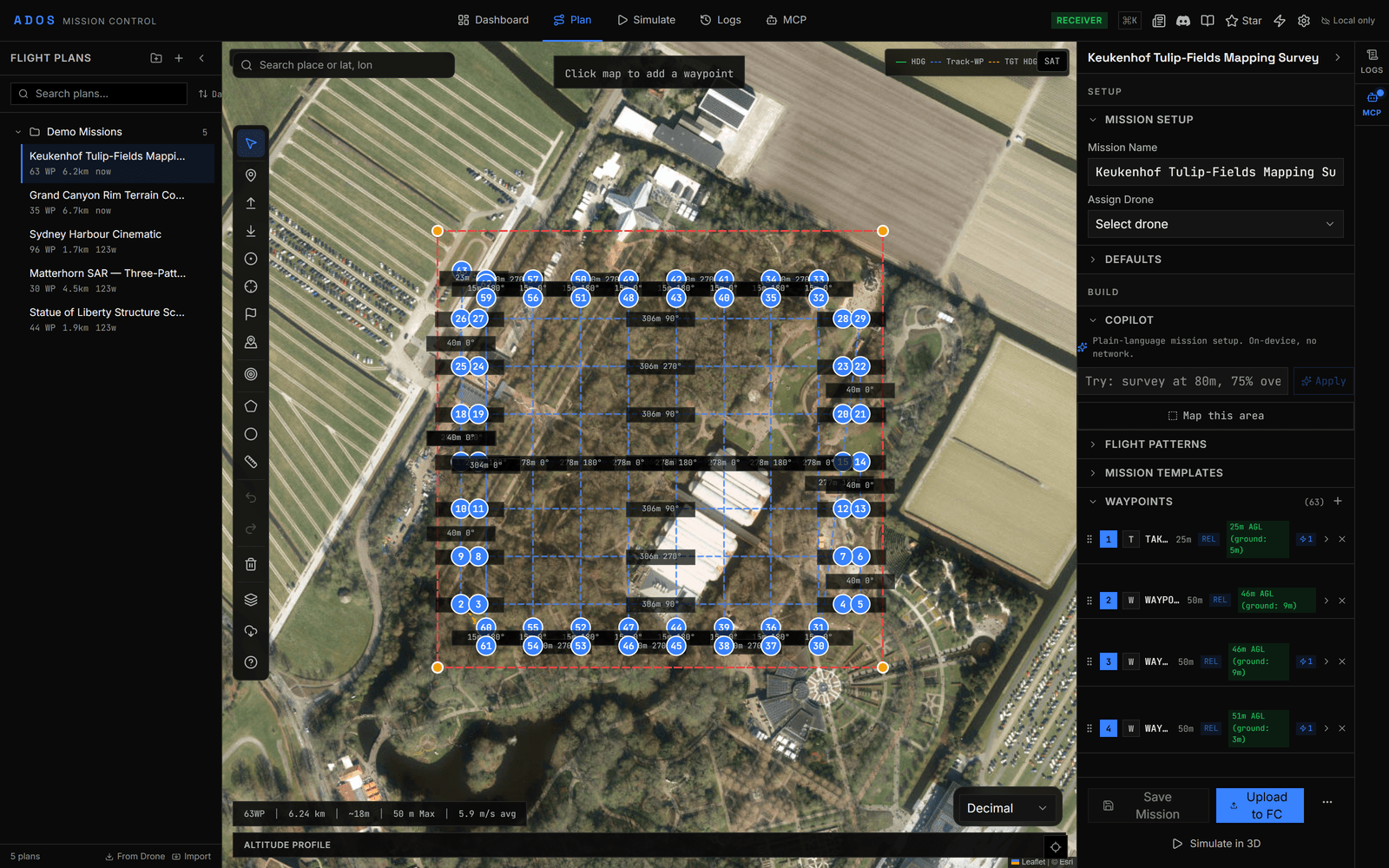
Simulate your first mission in a few clicks.
Load a plan, hit simulate, and watch the flight on a real 3D globe.
Launch Mission Control