Extend the drone, not the core.
HOW IT FLOWS
One manifest to a running plugin
Manifest
Declare capabilities and limits
Sign
Ed25519 .adosplug archive
Install
Verify, review, grant
Enable
Start its own unit
Sandboxed
cgroup limits, gated IPC
- Manifest: Declare capabilities and limits
- Sign: Ed25519 .adosplug archive
- Install: Verify, review, grant
- Enable: Start its own unit
- Sandboxed: cgroup limits, gated IPC
CAPABILITIES
One manifest, fifty-three doors.
Every capability is declared up front. The host enforces 45 of them at the IPC boundary, in a per-call handler check, or in the plugin's own sandbox; the other eight label what a plugin registers as. A plugin can only do what the operator approved.
Hardware
Talk to anything on the bus
UART, I2C, SPI, GPIO, USB serial, USB UVC video, and CSI camera access. Each interface is its own capability, so a plugin that needs UART does not get GPIO for free.
MAVLink
Register as a real component
A plugin can read and write MAVLink and register as a camera, gimbal, payload, or peripheral. The flight controller talks to it like any vendor box.
Telemetry
Read it, extend it, publish it
Subscribe to the live telemetry bus, attach derived streams, and publish custom events that other plugins or the ground station consume. No polling, no log scraping.
Sensors
Plug in the strange ones
Register cameras, depth sensors, LiDAR, or any payload at runtime. The driver stays in the plugin; the agent exposes one stable contract to the rest of the stack.
Missions
Read, write, record
Read the active mission, write new waypoints, and record full session data with video, telemetry, and events. Useful for custom autonomy and audit trails.
Network
Reach out, but on a leash
Without network.outbound the plugin's unit cannot open an IP socket at all. Inbound needs network.listen and opens only the ports the manifest lists. The operator sees both before approval.
RUNTIME
A plugin lives in its own process.
Each plugin runs as its own systemd unit inside the ados-plugins.slice cgroup slice, with limits on memory, CPU, and process count. A crash, a leak, or an infinite loop stays inside the plugin.
The host owns the flight-critical path: MAVLink, the FC link, the telemetry bus, the cloud relay. A failed plugin is restarted by its unit two seconds later, and a plugin signed by a revoked key is disabled at startup.
Communication between plugin and host is length-prefixed msgpack over a Unix domain socket. The plugin presents a per-process capability token when it connects, and the host checks every call against the granted set. The only shared memory is the read-only video frame ring, and only for a plugin granted frame access.
A plugin that crashes never affects flight. The FC keeps flying and the plugin's unit logs the failure and restarts it.
ados-supervisor
├── ados-control        (HTTP front, :8080)
├── ados-mavlink        (FC link)
├── ados-cloud          (relay)
├── ados-plugin-host    (capability gate)
└── ados-plugins.slice
    ├── follow-me          systemd unit + cgroup
    ├── thermal-cam        systemd unit + cgroup
    └── mavlink-inspector  systemd unit + cgroup
cgroup limits per plugin: memory cap, CPU quota, max tasks, set from the manifest. The unit restarts on failure two seconds later.
TRUST
Signed, scoped, and consented to.
Signing
- ✓Plugin archives ship as signed .adosplug files
- ✓Ed25519 signature over the payload hash, verified at install
- ✓Revoked signers are refused at install and disabled at startup
- ✓Unsigned archives are refused unless the operator relaxes signing for the node
- ✓Only first-party signers may claim heavy resources
Permissions
- ✓The manifest declares every capability the extension needs
- ✓Install shows the permissions, then grants only the ones you approve
- ✓Each permission carries a risk level: low, medium, high, or critical
- ✓Install, enable, remove, and revoke ask for confirmation
- ✓Grants and revokes take effect at runtime, no restart
Every capability the extension requests is listed at install with its risk level. Vehicle commands, MAVLink and mission writes, and spawning processes rate high; host filesystem and network egress rate medium. You grant each one deliberately, and every one is revocable afterward.
CODE
A plugin in thirty-three lines.
One YAML manifest, one Python class. This is the agent half of the Follow-Me extension, trimmed: it subscribes to detections and MAVLink, then feeds guided setpoints only while the track stays locked.
schema_version: 3
id: com.altnautica.follow-me
name: "ADOS Follow-Me"
version: "0.2.9"
risk: high
agent:
  runtime: python
  entrypoint: "follow_me:FollowMePlugin"
  isolation: subprocess
  permissions:
    - id: vision.detection.subscribe
    - id: mavlink.read
    - id: mavlink.write
    - id: flight.guided_setpoint
    - id: event.publish
  resources:
    max_ram_mb: 128
    max_cpu_percent: 25
max_pids: 4class FollowMePlugin:
async def on_start(self, ctx) -> None:
self._ctx = ctx
await ctx.mavlink.subscribe("HEARTBEAT", self._on_heartbeat)
await ctx.vision.subscribe_detections(
self._on_batch, camera_id=None
)
ctx.log.info("follow_me_started")
async def _command(self, setpoint, state) -> None:
# Only a locked, fresh track reaches the flight controller.
if state.locked:
await self._ctx.flight.guided_setpoint(**setpoint)
await self._ctx.events.publish("follow.state", state.to_dict())The host hands the plugin a context with access to the granted capabilities only. The plugin code never sees other plugins, the FC link, or the cloud relay directly.
REFERENCE EXTENSIONS
Read the real ones.
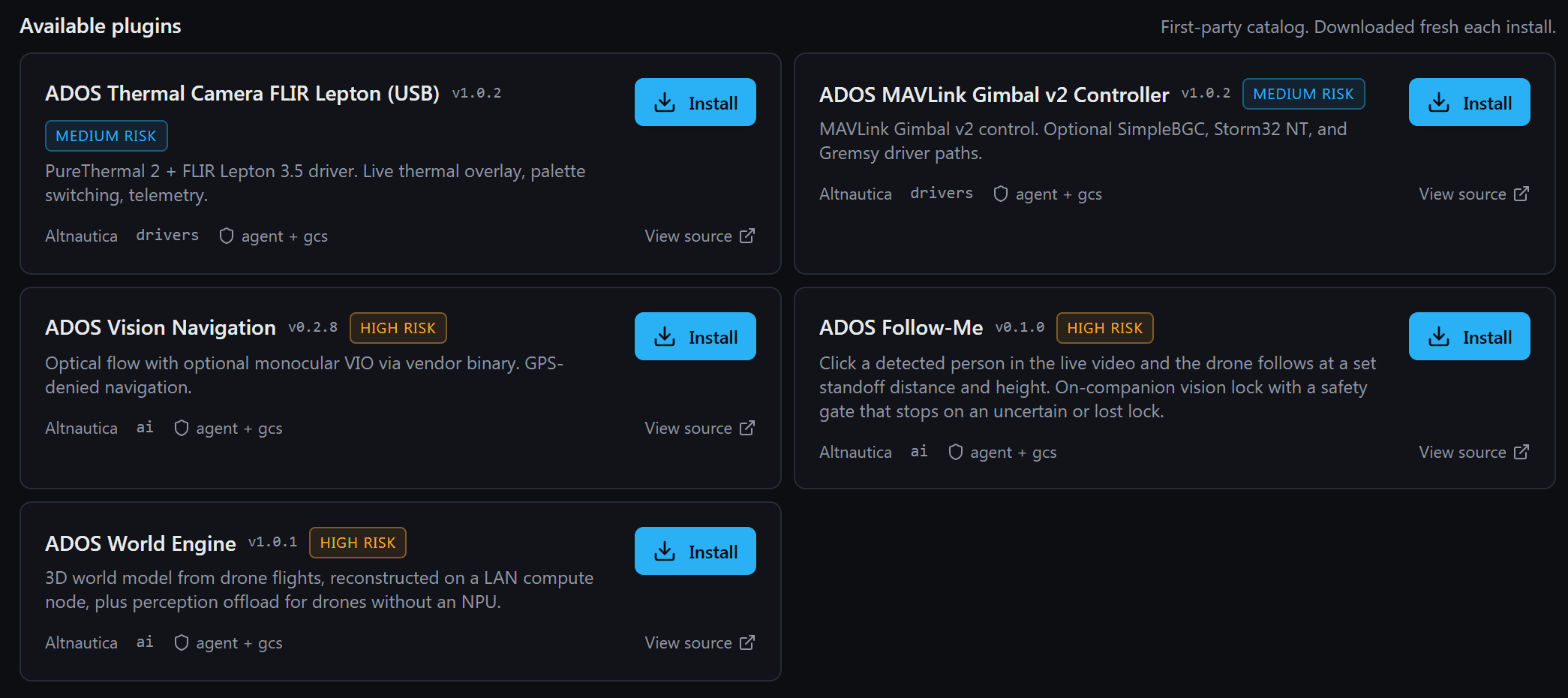
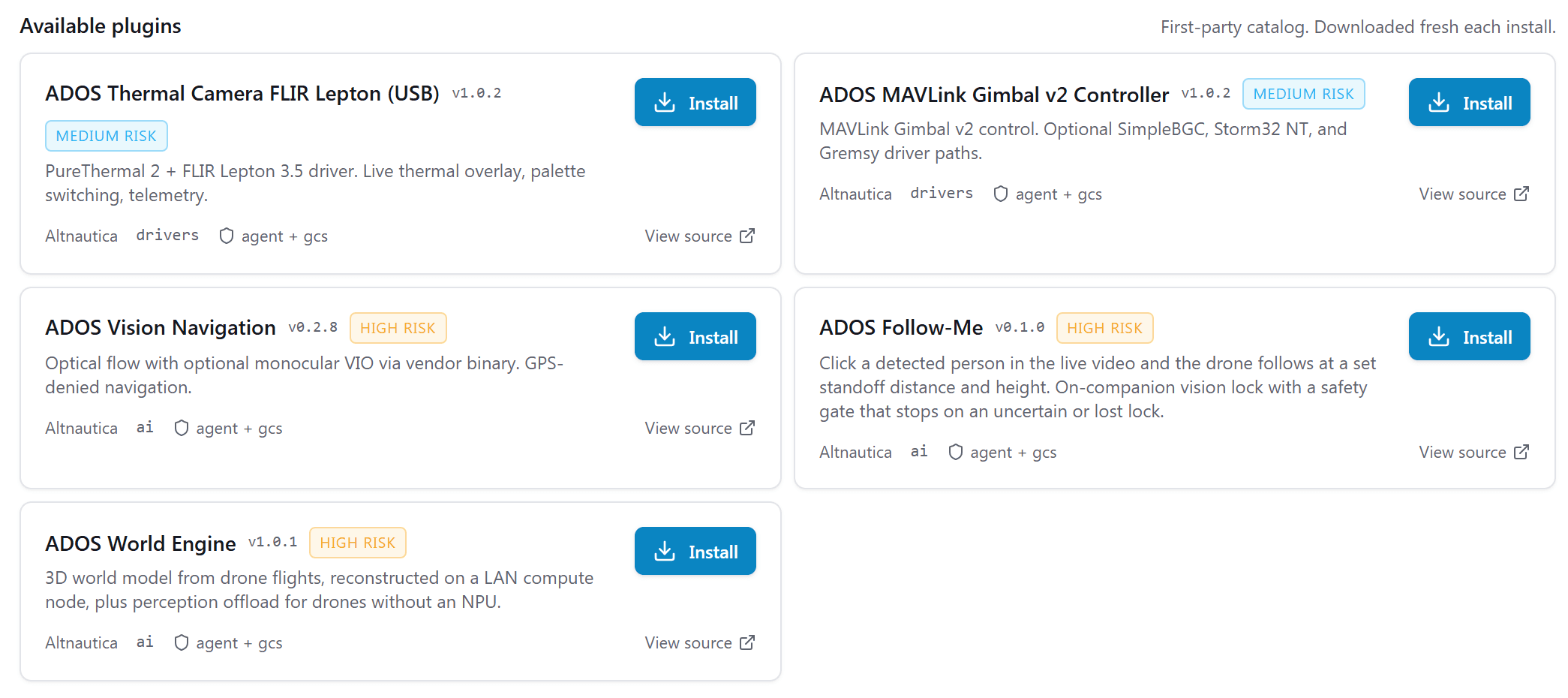
First-party extensions live in the public ADOSExtensions repository. Read the code, fork it, build your own.
Hybrid
SIYI Optical Pod
The agent half speaks the SIYI protocol to an A2 mini, A8 mini, ZR10, ZR30, ZT6 or ZT30, negotiates what that specific pod can do, and refuses to advertise a capability the pod did not identify itself for.
- ·Per-model capability negotiation, fails closed on an unknown pod
- ·Gimbal, zoom and focus control
- ·Thermal palette and spot temperature where the pod has it
- ·Laser rangefinder with subject geolocation
Hybrid
MAVLink Gimbal v2 Controller
The agent half drives a MAVLink gimbal-manager on component 154, decodes the standard attitude commands, and runs an on-companion visual servo that keeps a vision-locked subject centred. MAVLink only: there is no serial gimbal driver.
- ·Attitude set-and-report handlers
- ·Aim-at-target visual servo with a lock-state safety gate
- ·Angle and rate control modes
- ·Recenter and nadir one-touch pointing
Browse every extension in the open-source registry.
CLI
Install, enable, inspect, remove.
Every plugin operation has a command on the agent. Mission Control wraps the same calls in a UI.
$ ados plugin install ./thermal-cam.adosplug
verifying signature        ok
checking compatibility     ok
permissions requested:
  medium   hardware.usb.uvc
  medium   sensor.camera.register
  high     mavlink.write
  low      telemetry.read
grant permissions? [y/N] y
plugin installed: [email protected]
$ ados plugin enable thermal-cam
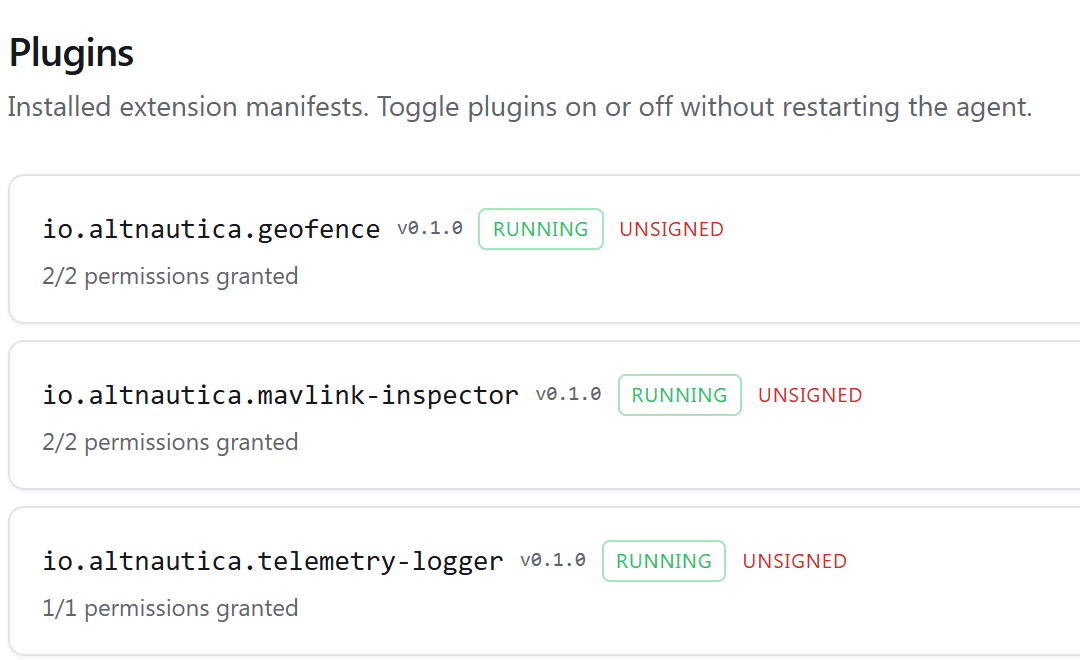
$ ados plugin list
NAME             VERSION  STATE     PROCESS
geofence         0.2.1    enabled   pid 4123
telemetry-logger 0.1.0    enabled   pid 4124
thermal-cam      0.1.0    enabled   pid 4131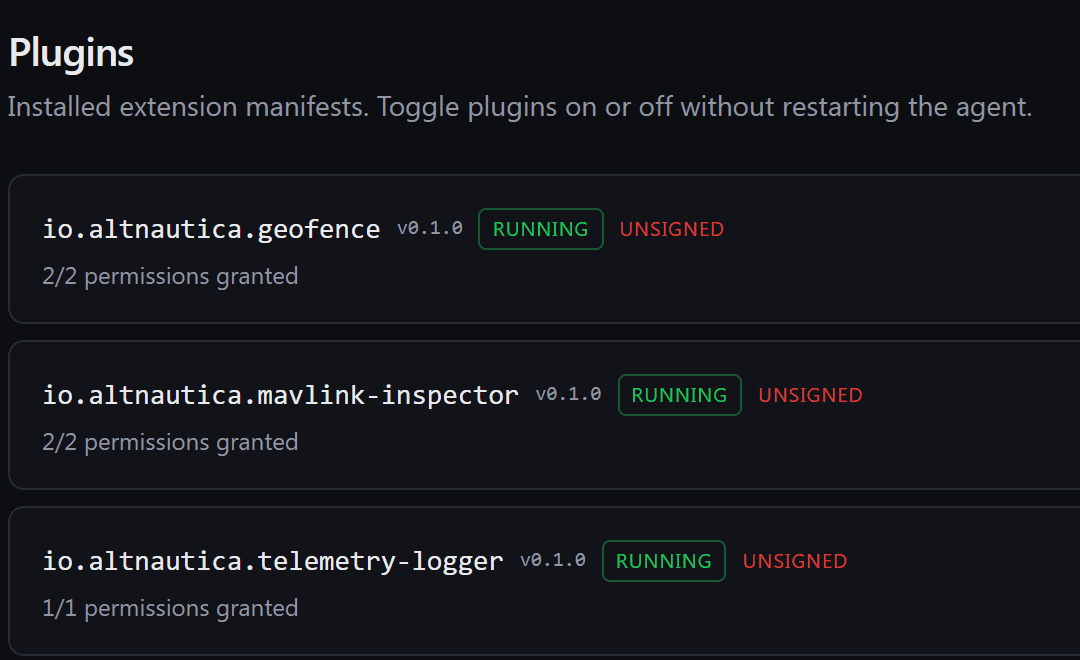
installVerify the signature, check compatibility, show permissions, grant the approved onesenable / disableStart or stop the plugin's unit without removing itremoveStop and uninstall; on-disk state is purged unless --keep-datalist / infoShow installed plugins, manifest, permissions, signer, and statepermsShow grants; --grant or --revoke one at runtimelogsTail the plugin's structured log streampin / auto-updateHold a version or let the plugin update itselfsign / lint / testPack a signed archive, static-check it, run its tests
ON THE DRONE
Run them, and build your own.
For operators
On the drone.
- Install sources.adosplug, HTTPS URL, catalog id
- Capability gate45 of 53 enforced by the host
- Built-in pluginsgeofence, telemetry-logger, mavlink-inspector
- Auto-updatePer plugin, with version pins
- Process sandboxsystemd unit, cgroup limits
For authors
Everything to build, sign, and publish one.
- SDKsPython ados.sdk, Rust ados-sdk
- Scaffoldercreate-ados-plugin
- Driver base classesCamera, gimbal, LiDAR, GPS, ESC, payload
- Toolingsign, keygen, lint, test
- RegistryPublic catalog and developer docs
Build an extension for ADOS.
The reference extensions are open source. Read them, fork them, ship your own.
View ADOSExtensions